
Onboarding
Onboarding connects Oh My Agents to the tools and projects you already use.
-
Welcome
- Confirm you’re ready to scan your system for supported agents.
-
Choose agents
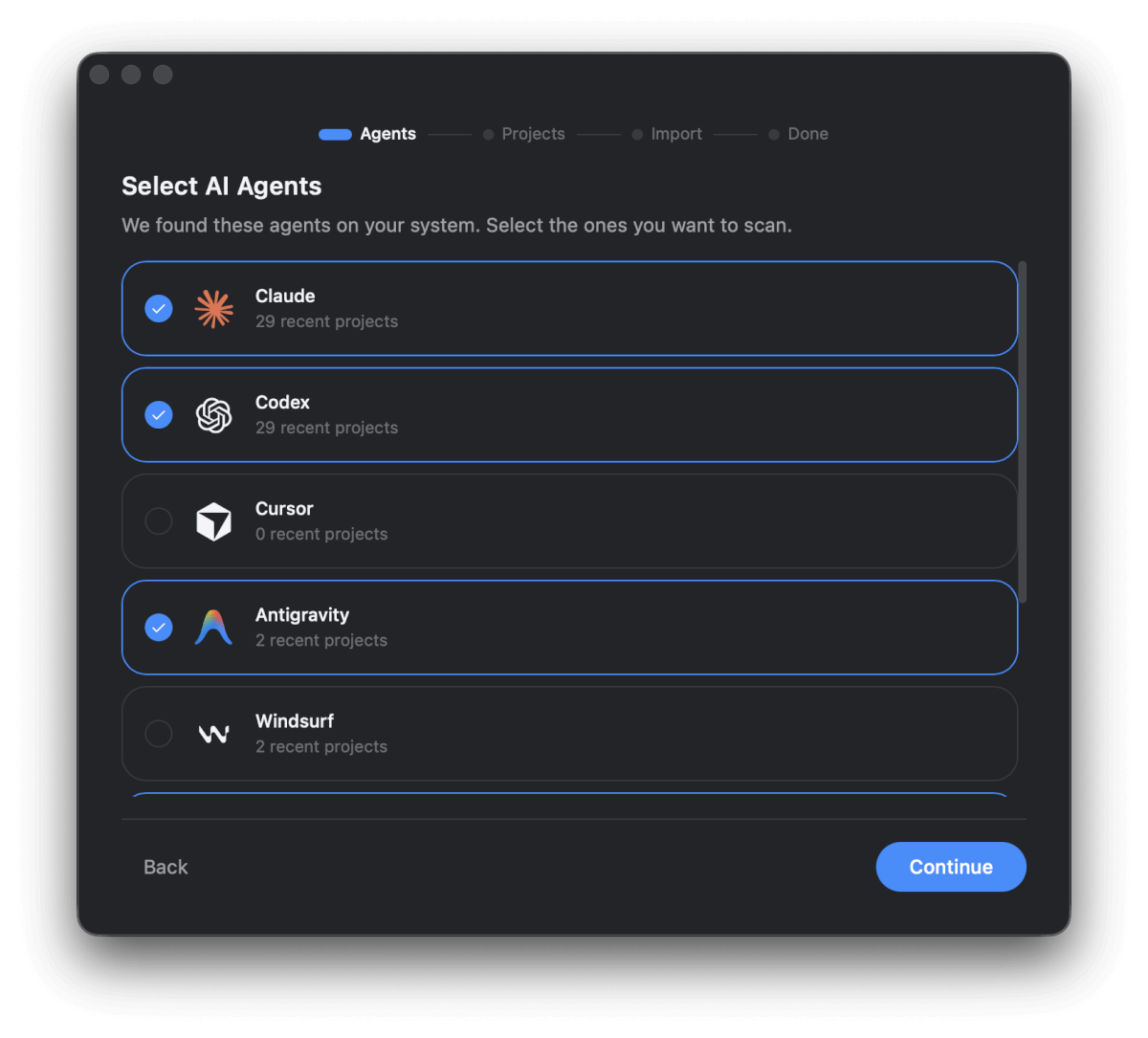
- Select the agents you actively use.
- This controls which integrations and asset types are available later.
- The project count is based on each agent’s local history storage and reflects how many projects we can detect from that history.
-
Pick projects
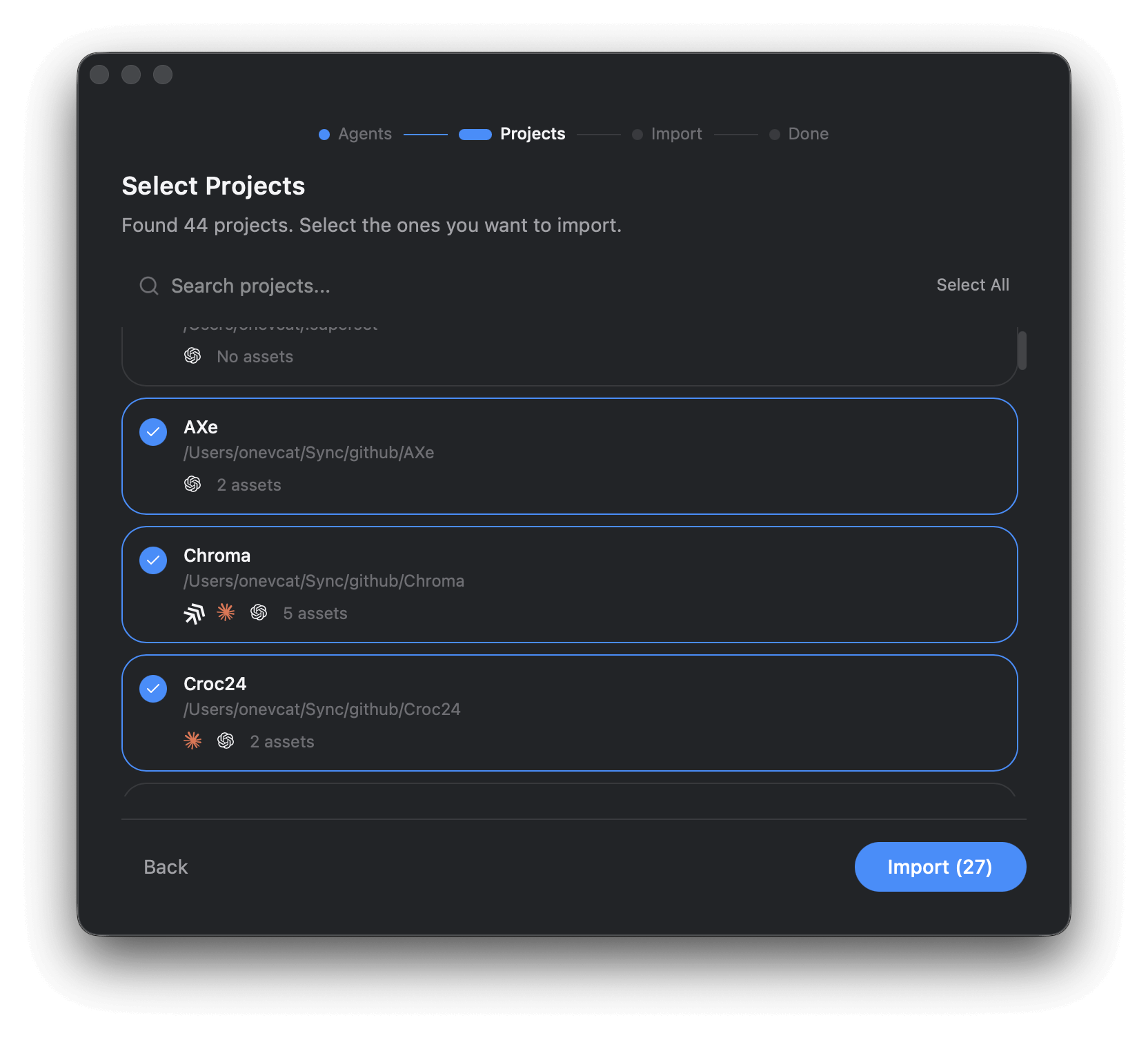
- Choose the projects you want Oh My Agents to track.
- Besides your work projects, your home directory is added by default as a global project called User Scope.
- You can always add more projects later from the Projects page.
-
Import
- Oh My Agents scans the selected projects and brings in any detectable assets.
- If the same asset appears in multiple projects, OMA detects the duplicate and only imports it once.
-
Done
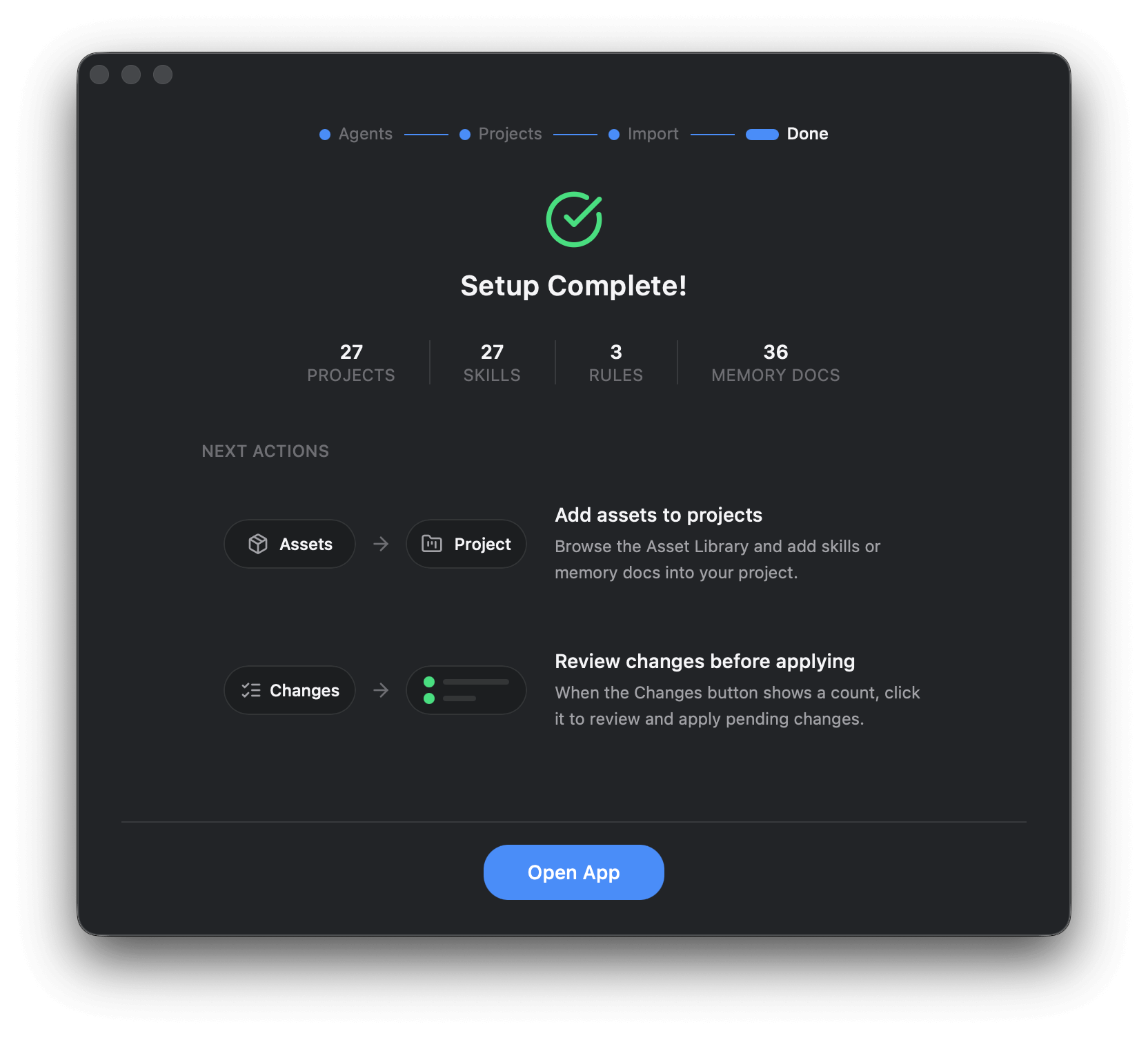
- Review the import summary and next actions.
- The import creates default rules that link the imported assets to the selected projects and agents. You can review these rules in the main app.
Rerun onboarding anytime
Section titled “Rerun onboarding anytime”Go to Settings → Importing → Run onboarding again to refresh agents and project picks.
Next step
Section titled “Next step”Import a real skill and link it to a project: Import Your First Skill.